
You Can Now Use AI to Access Logtivity via MCP
We’re pleased to say that you can now use AI tools to analyze the activity log data for your sites in Logtivity.
Logtivity records a huge amount of detail about your WordPress sites: logins, user changes, plugin updates, content edits and much more. That detail is what makes Logtivity useful, but finding the one event you need across months of logs and dozens of sites can take time.
That’s why we’ve added support for the Model Context Protocol (MCP). MCP is an open standard that lets AI assistants connect to outside tools and data. With it, you can ask questions about your sites in plain English and get answers drawn straight from your Logtivity logs. You don’t need to build filters or export spreadsheets.
How to enable MCP access
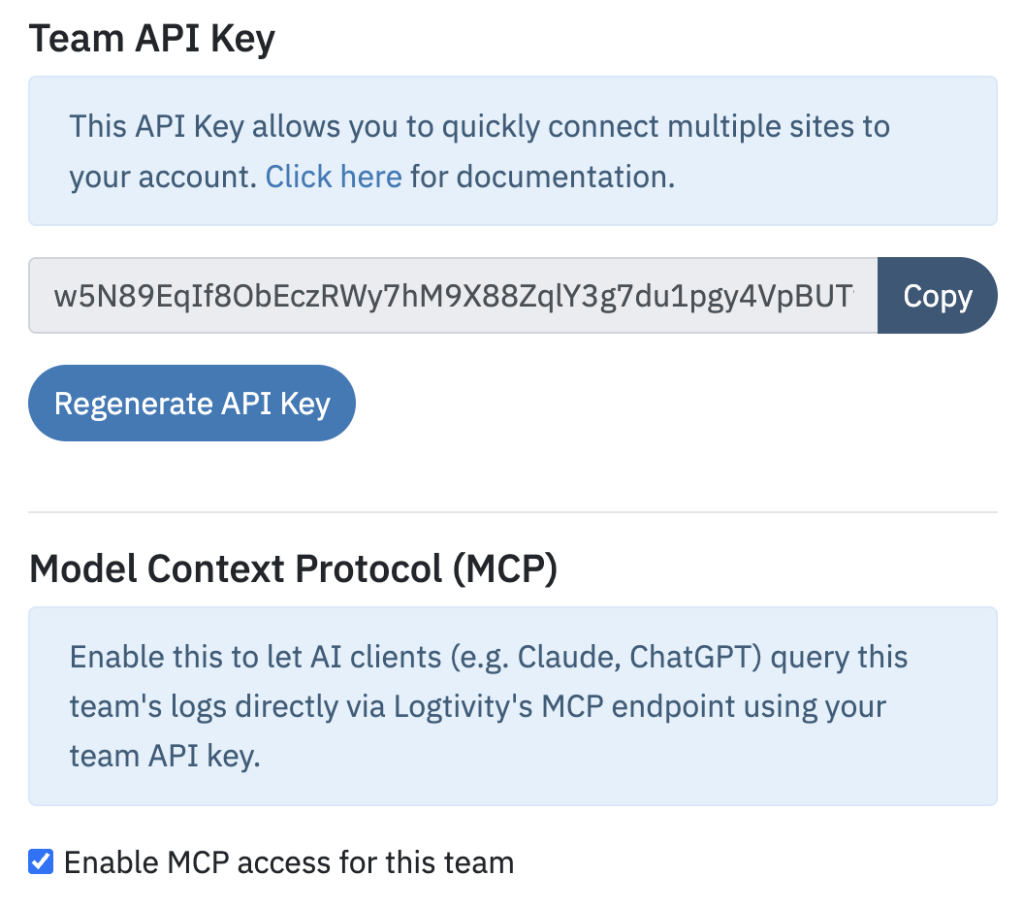
On the “Team Settings” screen, you’ll see a new option called “Model Context Protocol (MCP)”. If you enable this setting, you’ll be able to use your Team API Key to read log data. If your AI asks, the server is located at https://app.logtivity.io/mcp.
Types of questions you can ask
Let’s see some of the ways you can use AI to interrogate your site data.
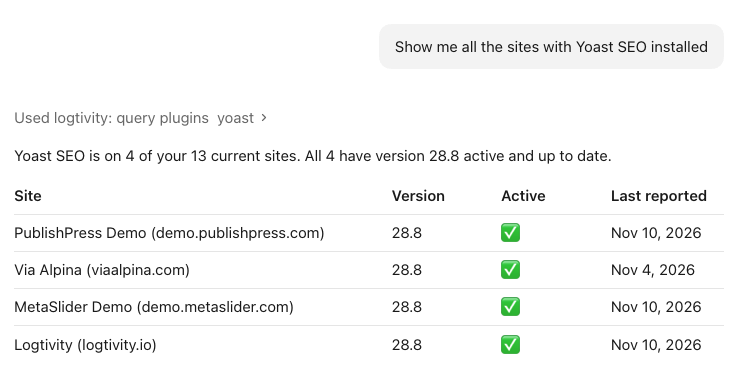
In the screenshot below, I asked “Show me all the sites with Yoast SEO installed”. This particular answer also told me that one site had the Yoast Duplicate Post plugin installed and active.
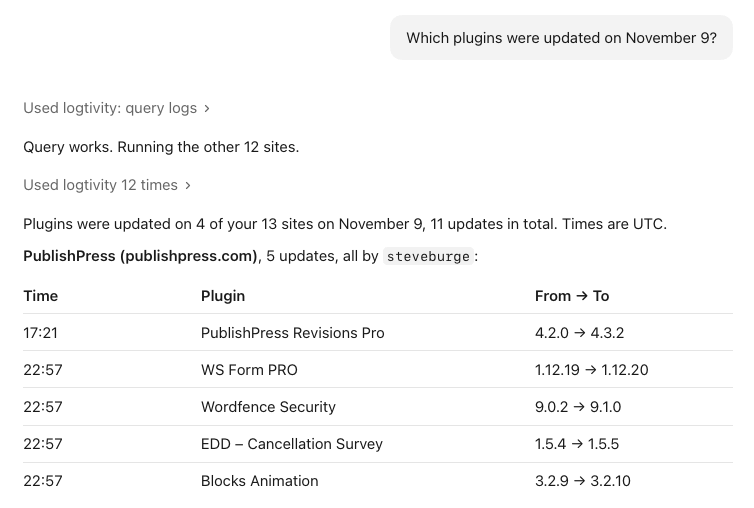
You can ask Logtivity to give you reports about what happened on specific dates. Here’s part of the result it gave me when I asked for all the plugins installed on a specific date.
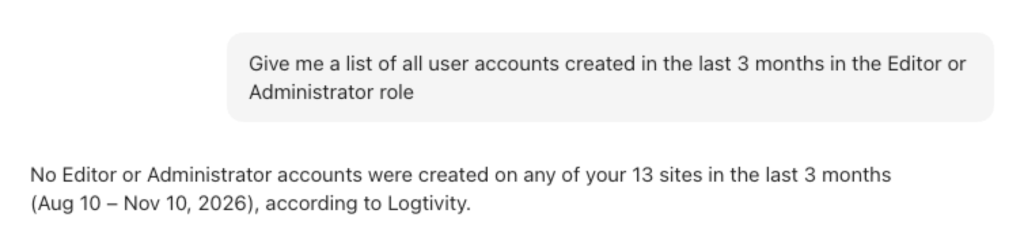
You can ask about changes to any area of your site. In this screenshot, I wanted to find out if any high-level users had been added to any of our sites recently.
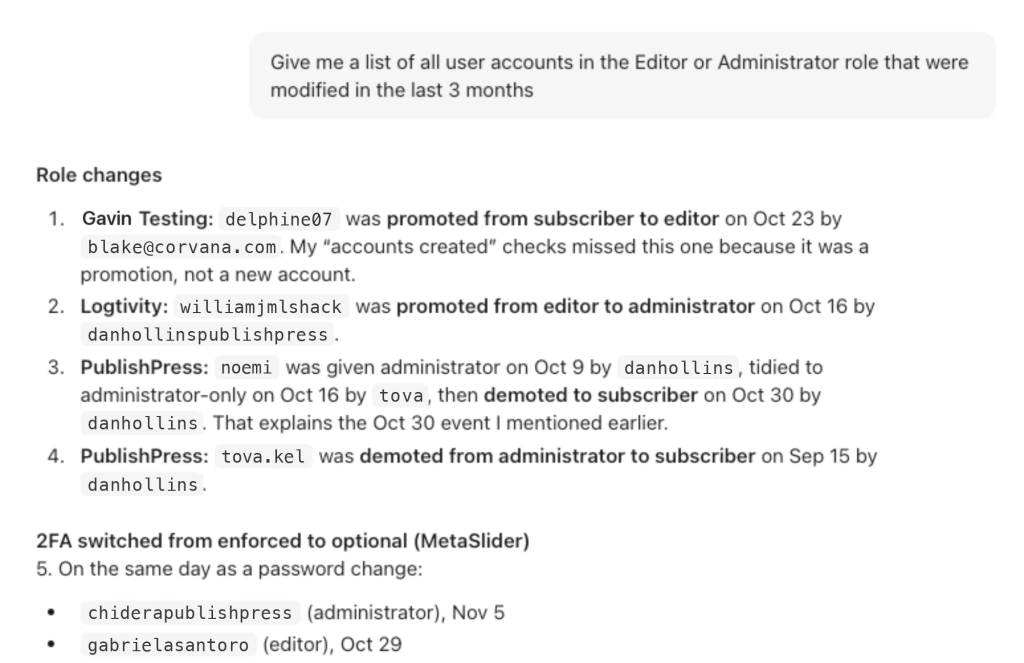
You can take this a step further and ask for a detailed analysis of all the changes to accounts at this level. In the screenshot below, I’ve modified the usernames, but you can see the level of detail that the Logtivity MCP can provide.
Start asking questions about your sites
Over the past few weeks, the Logtivity MCP has changed how we work with our own logs. Questions that used to mean several filtered searches and a spreadsheet now take one sentence. It’s been especially useful for security checks, such as spotting new administrator accounts or role changes, and for understanding exactly what changed on a site before something broke.
The MCP connection only reads your log data. Your AI assistant can analyze your activity logs, but it can’t change anything on your sites.